The PG Guide To Photo Goobering


Welcome to the PG guide to photo goobering. This is not a complete guide, but rather a means to get started. If anything is mentioned that you already know, then move on to the next item.
A word of thanks goes to Frank Turk, aka centurion. Mr. Turk told PG about GIMP, and maintains a site called GIMPUNIVERSITY. PG/Chamblee54 and Mr. Turk disagree on a few issues. This does not affect the gratitude extended to Mr. Turk for his help in the field of photo goobering.
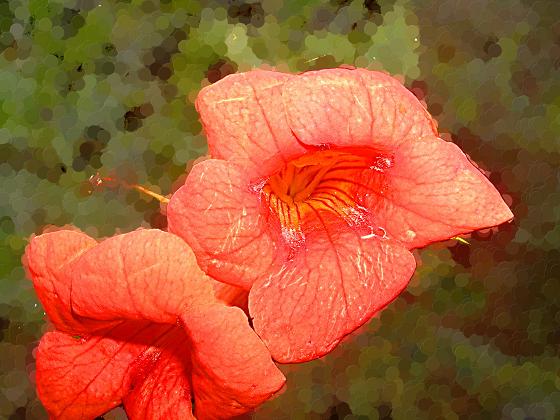
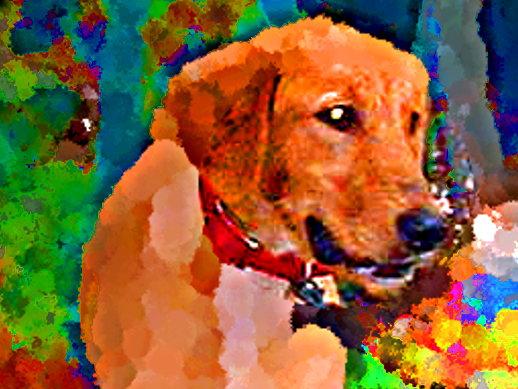
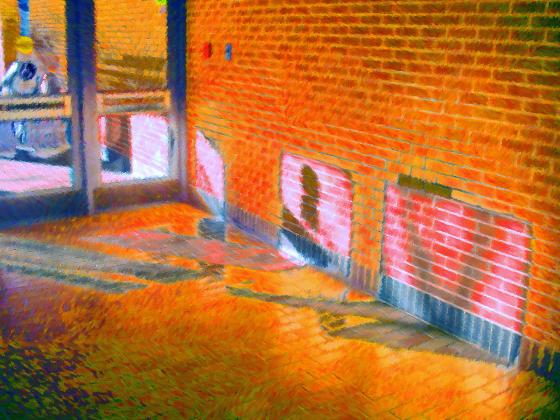
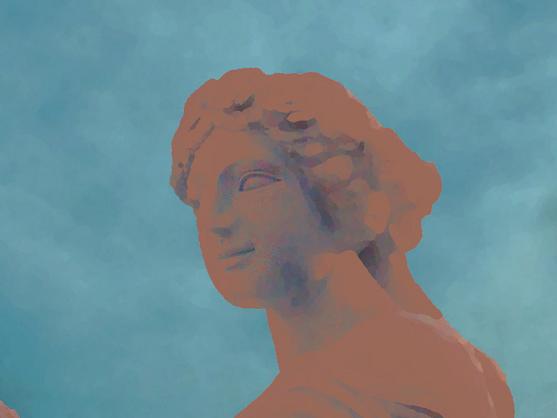
You can use GIMP for a lot of things. Duh. PG is focused on what he calls photo goobering. This involves cropping, adjusting color levels, adding color saturation, and the use of filters. The result is something resembling an impressionistic painting. If you want to use GIMP for other purposes, go for it.
This is a PC based guide. If you use a Mac, then there is help available elsewhere.
1- Download GIMP. You can find it at http://gimp.org/. This site also has an “owners manual” which describes how to use the different features.
If you have access to photoshop, then go for it. If not, then GIMP will have plenty of play things to keep you productive. GIMP is an open source program, which means FREE. If you want to make a donation then you will have the opportunity to do so.
2- There is no substitute for time. The amount of time you spend with your hands on the keyboard will have a direct result on the amount of pictures you produce.
3- Learn to work the keyboard. The keyboard is almost always faster than the mouse. It is like trucks and trains…trains are cheaper, but trucks go more places.
The GIMP has a feature which allows you to assign keyboard shortcuts. You can access this feature by going alt-f, k. Many of the tools already have keyboard shortcuts, which are shown in this window. You can assign other shortcuts to features that you use a lot. It is a good idea to keep a list of the shortcuts that you set up.
When a feature is described in this discussion, the keyboard shortcut will be in parentheses after it.
4- Cropping is a key part of the process. Many pictures will have parts that are not interesting. If you are going to post pictures to the internet, it is a good idea to keep these pictures at a 4:3 ratio. This means that horizontal is four units long while vertical is three units high. This is the ratio of most computer screens.
One of the select tools is Rectangle (R) . If you want your cropped selection to conform to the 4:3 ratio, go to the lower part of the tool box. Check Fixed, and choose Aspect Ratio. In the field below that, type in 4:3.
To crop to the selection, hit Alt+I, C. On PG’s machine, this is W. Crop to selection is a very good use of the Keyboard Shortcut feature.
5-There are four tools for selecting parts of the image. These are Rectangle (R),Ellipse (E), Free Select (F), and Fuzzy Select (U). You can also select the entire image with Ctr+A. If you want to add to a selection, choose the proper tool, and hold down shift while making your selection. If you want to deselect a section, hold down the ctr button while using the appropriate tool. De select is a very handy feature.
6- If you make a mistake, you can undo your move using Ctr+Z. One of the good things about GIMP is that you can used Ctr+Z many, many times. PG has never hit the limit of how many times you can use this feature.
7- Do not change the original. Use “Save As” to save the changes you have made. Hit Ctr+Shift+S. Type in the name you want to use, followed by dot-extension. If you do not specify a format, the GIMP will save it as a .xcf. Numerous file formats are available, all of which have their pros and cons. PG likes to use the old reliable .jpg. PG also likes to include the number of the original in the name of the altered image.
8- Have fun. This is not rocket science or saving the planet. Take some pictures, open them with GIMP ( or drag the icon into the toolbox), and start to play. Save your changes under another name. The GIMP instruction manual can be helpful, but is a bit on the technical/tmi side. Just spend time in front of the screen, and make pretty pictures.

The World Tonight
There is so much to talk about, but for some reason, none of it is interesting.
There is the story of Miss California, Carrie Prejean. It turns out her parents separated when she was very young, possibly before she was born. Does she have the same father as her sister? Mom and Dad spent the next few years in a nasty custody battle. Now Miss Prejean is fighting to defend marriage. PG wonders what Miss Prejean thinks she is defending?
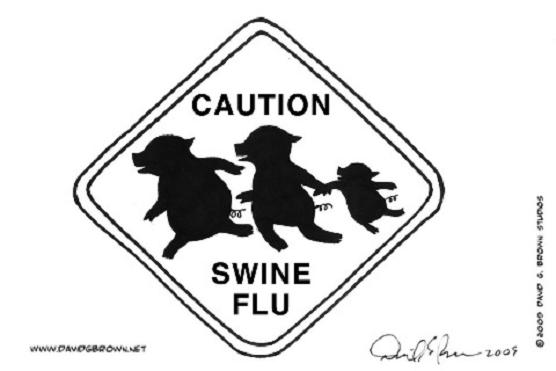
There is the story of the swine flu sign cartoon A blogger named Jasmyne Cannick thought the cartoon was racist, and asked her readers to comment. PG took a look at the cartoon, and went to the site of the artist. PG wanted to print the cartoon, and is squeamish about copyrights. It turns out the artist is an African American. PG got his permission.
Tomorrow is mothers day. This is a very profitable day for certain industries. It also is difficult for people like PG. His mother left the planet ten years ago, and is seriously missed. PG has not reproduced on his own. To him, mothers day is a day to be ignored.
There is the fog of war. The mercenaries in Iraq are not working out. Nor is the revenge against Afghanistan. Those drone attacks are not going to bring back the people we lost on 911. Pakistan is on the verge of collapse, or maybe it isn’t. And our country talks about American Idol and the new Star Trek.

Firefox From A to Z


It started with Facebook. PG started checking the home page every few minutes, to see what his friends had posted. To get there, he would type F in the firefox browser, and a list of urls starting with F would pop up. As Country Joe used to say, Give me an F.
Then PG made a comment at Rodonline . Mr. Online was in a bad mood, and had some harsh words for PG. To get there, PG typed R in the address bar.
PG makes use of the bookmarks feature, and collects these digital tidbits in a folder called Frequent. Yes, this post has a lot of F words, you gotta problem? This business of typing in a popular letter in the address bar is a touch easier, and PG is all about easy.
It doesn’t take much imagination to see where this is going. When A is typed into the address bar, Archive.org comes up at the top. The rest of the first five is Andrew Sullivan, Atl Malcontent, Abwbwgttd, and Avitable. Archive dot org is a marvel. Literally millions of hours of material is available for download. They have embedded players on their music pages, so you can listen to something before you download.
You can’t have an A without a Z. When Z is entered into Firefox, the only thing that comes up is Zero Hedge. It seems like last September, when the Financial Story was going from bad to apocalyptic, there was a run on the Federal Reserve. Somebody was paying attention and shut down trading, or else all the money in the world would have been withdrawn from the system.
PG does not claim to understand economics. He suspects there is a lot of smoke and mirrors, driving the bells and whistles. If this video is true, the whole jabberwocky almost collapsed before our eyes. This is the end.
 Chamblee54
leave a comment